Pro: Student Course Notes / Journal
Applies to: Pro
Pro: Student Course Notes / Journal
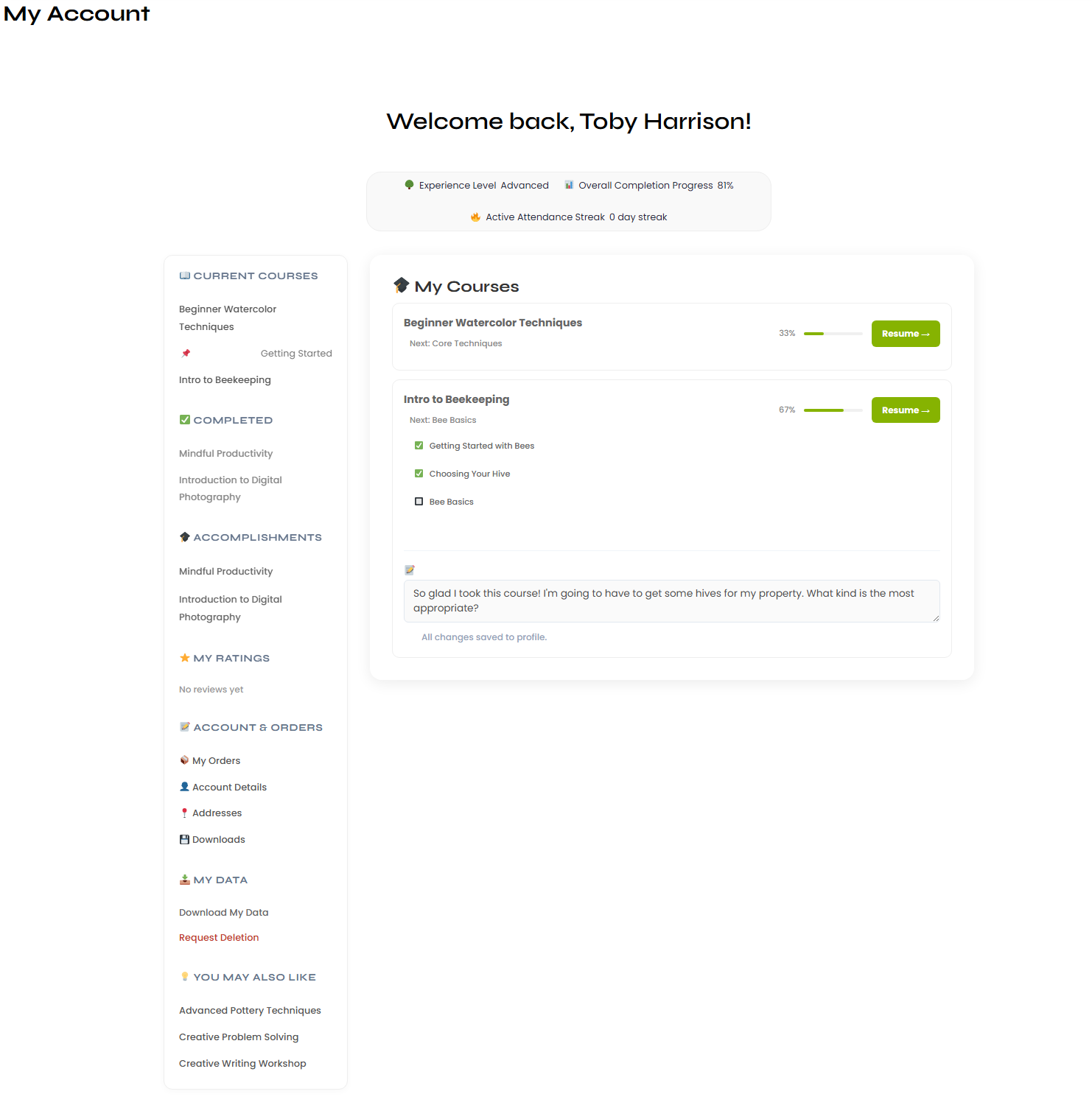
Voltora Academy Pro gives each student a private Course Notes / Journal — a personal space to jot thoughts on any enrolled course. It is visible only to you; instructors and other students cannot see it.
This article shows where the notes field appears and how to use it.
Before you start
- You are logged in as a student on a Voltora Academy Pro site.
- You are enrolled in at least one course.
Steps — add a private note
- Click Open My Account (or your Student Portal) and go to My Courses.
- Find the course you want to note. Under that course card is a text area labeled Add private notes....
- Click inside the field and type your note.
- Notes save with your account — there is no separate save button; your entry is kept as you go.
Tips & things to know
- The notes field appears under every enrolled course on the My Courses dashboard.
- Notes are private — shown on your student portal only, not to teachers or classmates.
- This is separate from the account-wide gamification stats (experience level, streaks).
- Course Notes / Journal is a Pro-only feature and is not available in the free Lite version.