DealVault: Export Click Data (CSV)
Applies to: PowerTools Suite & Conversion Deck
When a visitor clicks GET DEAL on an affiliate deal, the click is recorded and the partner's page (the Target URL) opens in the same tab. On a coupon, the coupon code is copied to the visitor's clipboard, the click is recorded, and about a second later the product page opens in the same tab.
You can export the click log as a CSV.
Step-by-step
- Go to PowerTools Suite → DealVault.
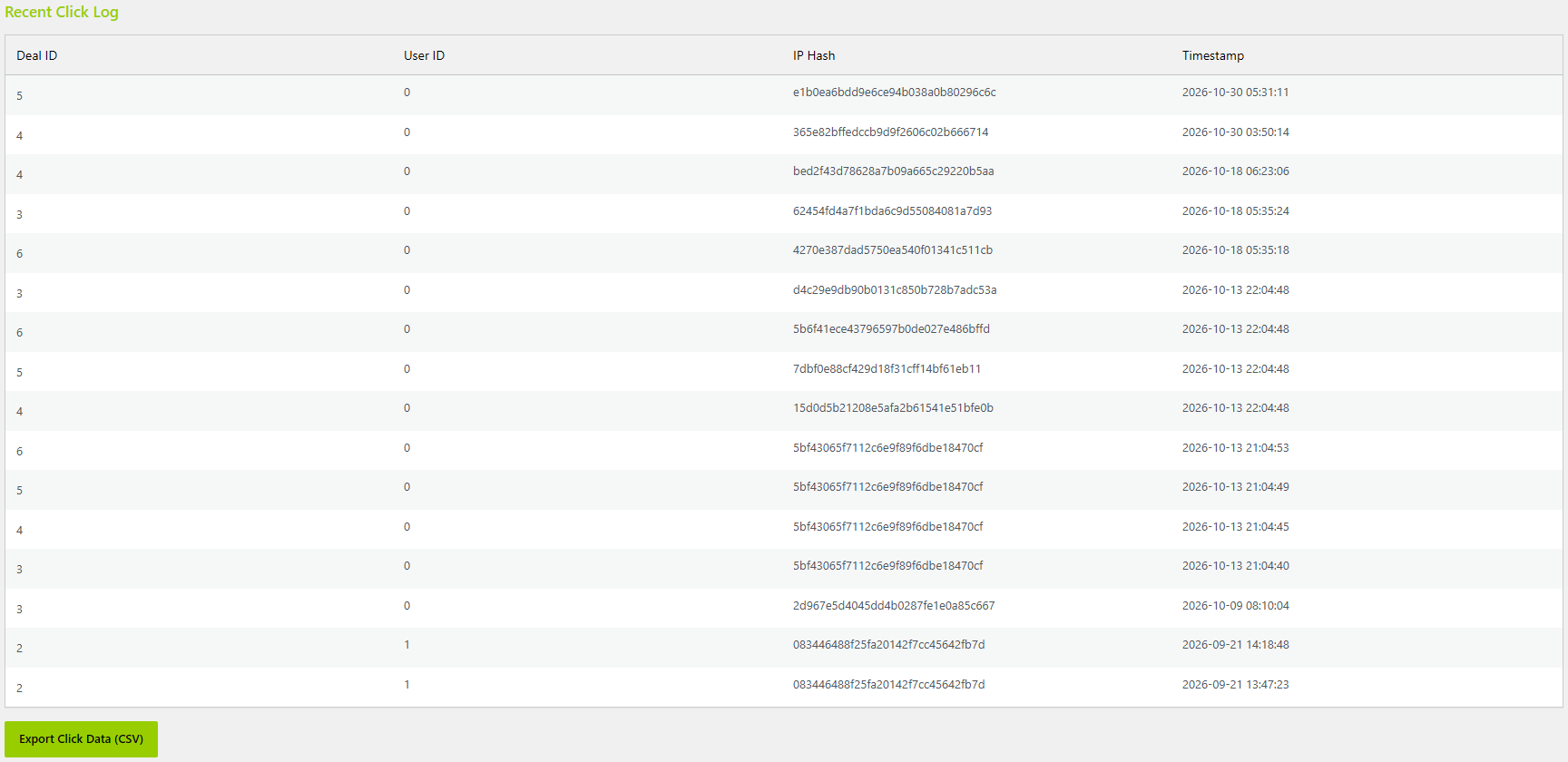
- Click Export Click Data (CSV).
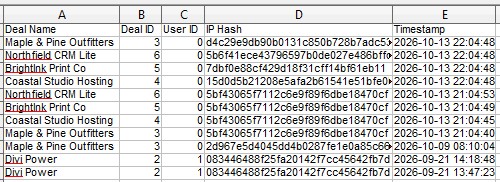
- Open the file in your spreadsheet app. Columns: Deal Name, Deal ID, User ID, IP Hash, Timestamp.
Tips & things to know
- Clicks from logged-in visitors are counted. Repeat clicks on the same deal within a few seconds count once.
- DealVault doesn't collect personal information about the people who click. It stores a hashed IP, not the IP address itself.
What it does not do
- It does not collect personally identifying information.