SpotEdit: Add a Staff or Manager User
Applies to: PowerTools Suite & Agency Admin Deck
SpotEdit lets your staff change specific text, links, and images on the live Divi 5 page without ever opening the Visual Builder. Give each person the SpotEdit Staff or SpotEdit Manager role so they can edit spots without the Visual Builder.
| Role | What they can do |
|---|---|
| SpotEdit Manager | Edits spots on the live page and approves or discards changes on the Staff desk. No Visual Builder. |
| SpotEdit Staff | Edits marked spots on the live page. No Visual Builder. |
Step-by-step
- Go to Users → Add User.
- Fill in the username and email.
- Choose the role: SpotEdit Staff, or SpotEdit Manager if this person should approve changes.
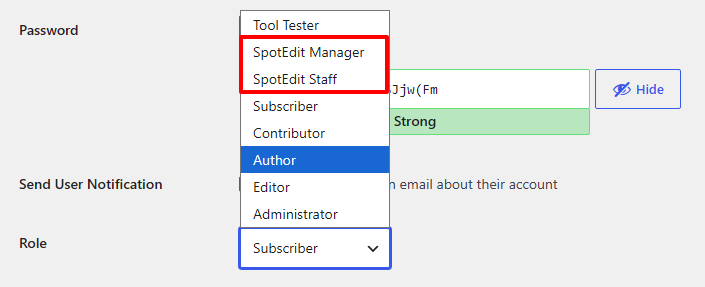
- Click Add User.