Pro: Academy-wide Broadcast Email
Applies to: Pro
Pro: Academy-wide Broadcast Email
Voltora Academy Pro lets an Admin send one announcement to the entire academy (or a whole course) at once — useful for maintenance windows, new-course launches, or policy updates.
This article covers the academy-wide broadcast from the dashboard. (Teachers send to a single class via Pro: Broadcast Email to Your Class.)

Before you start
- You are logged in as an Admin on a Voltora Academy Pro site.
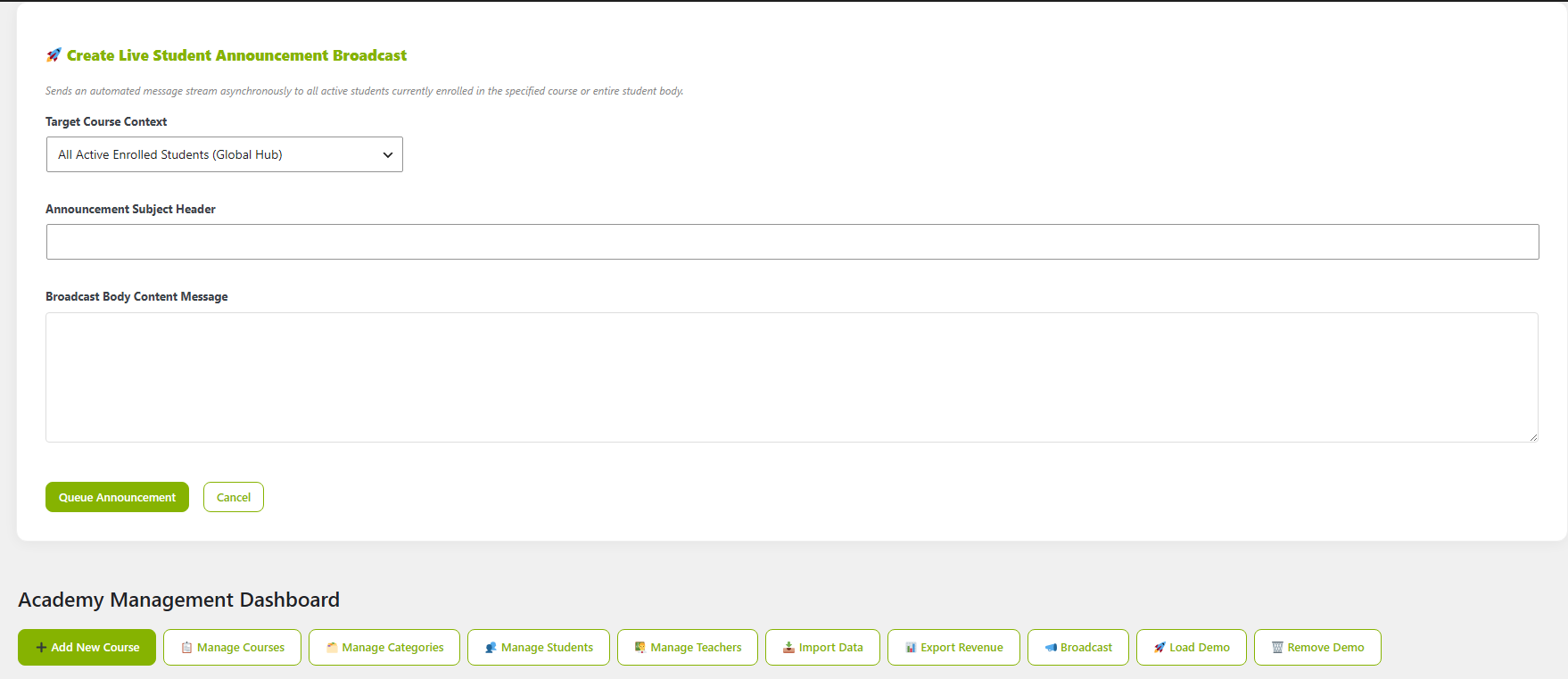
Steps — send an academy-wide broadcast
- Open the Academy Management Dashboard.
- In the top action bar, click Broadcast. It will open downwards from the top of the dashboard.
- Compose your announcement (subject and body) for the whole academy, or scope it to a specific course from the dropdown.
- Send it to deliver the email to all targeted recipients.
Tips & things to know
- Academy-wide broadcast reaches every student and teacher as a blind carbon copy (BCC) — use it for messages that genuinely apply to all. You will receive it as well.
- Your email will be sent in small batches until it is completed to ensure your server is not overwhelmed.
- For a single class, a teacher's class broadcast is the narrower tool.
- Academy-wide broadcast email is a Pro-only feature.