Layout Version Control: Restore or Delete a Snapshot
Applies to: PowerTools Suite & Agency Admin Deck
Layout Version Control saves on-site snapshots of your Divi layouts, so you can put one back when an edit goes wrong.
Before you start
- The layout already has at least one snapshot. See Layout Version Control: Take a Snapshot.
Step-by-step
Restore a snapshot
- Load the same layout. Go to PowerTools Suite → Version Control, choose the type, search, and load the layout.
- Click Restore on the snapshot you want in the list.
- Confirm. The layout goes back to that snapshot. Any newer edits on that layout are replaced.
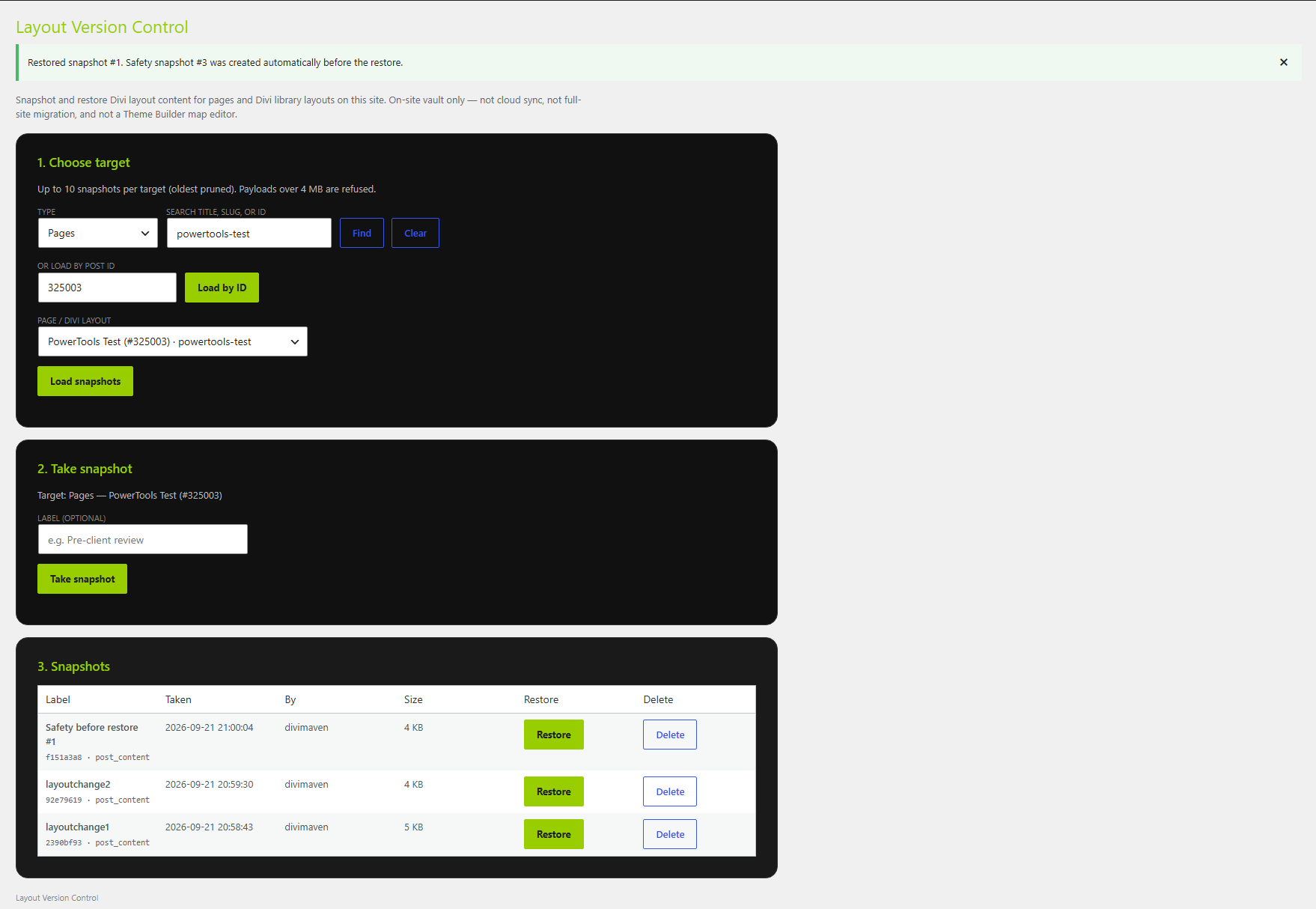
Before it restores, Version Control takes a safety snapshot of the current layout automatically, so you can undo the restore.
Delete a snapshot
- Load the layout.
- Click Delete on a snapshot you no longer need.
Deleting removes the snapshot only. It doesn't change the live layout.
Tips & things to know
- You can keep up to 10 snapshots. Delete old ones you don't need.
- Uninstalling PowerTools Suite deletes all snapshots.