Layout Version Control: Take a Snapshot
Applies to: PowerTools Suite & Agency Admin Deck
Layout Version Control saves on-site snapshots of your Divi layouts, so you can put one back when an edit goes wrong, or you want to do A/B testing, or present a client different options.
Before you start
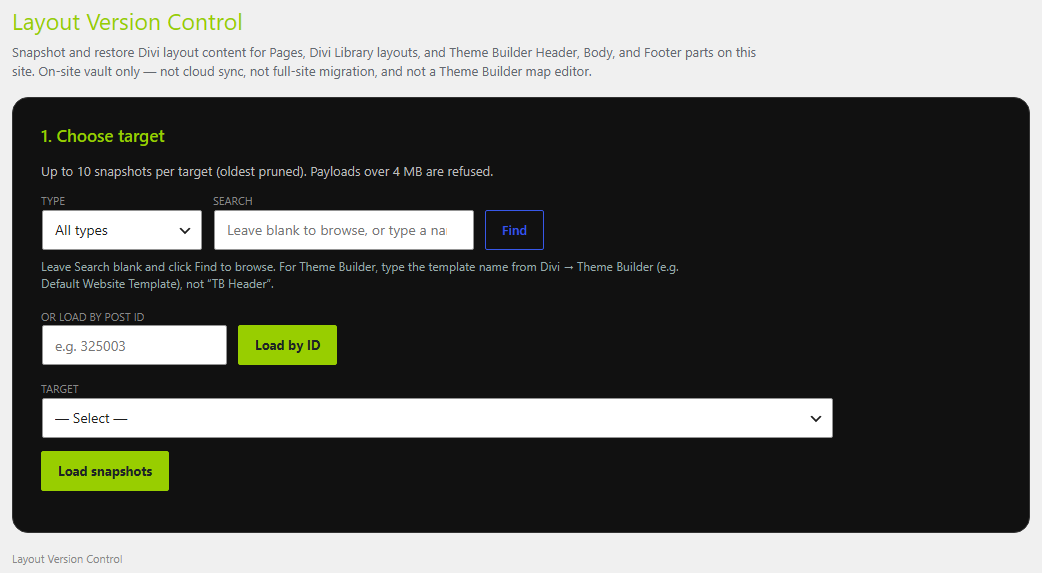
- You can snapshot a page, a Divi Library layout, or a Theme Builder header, body, or footer.
- Take the snapshot before the risky edit. Version Control doesn't save automatically while you design.
Step-by-step
- Open Version Control. In WordPress admin, go to PowerTools Suite → Version Control.
- Choose the type: Pages, Divi Library, TB Header, TB Body, or TB Footer.
- Search by title, slug, or ID, or load the item by its ID.
- Select the layout and load it.
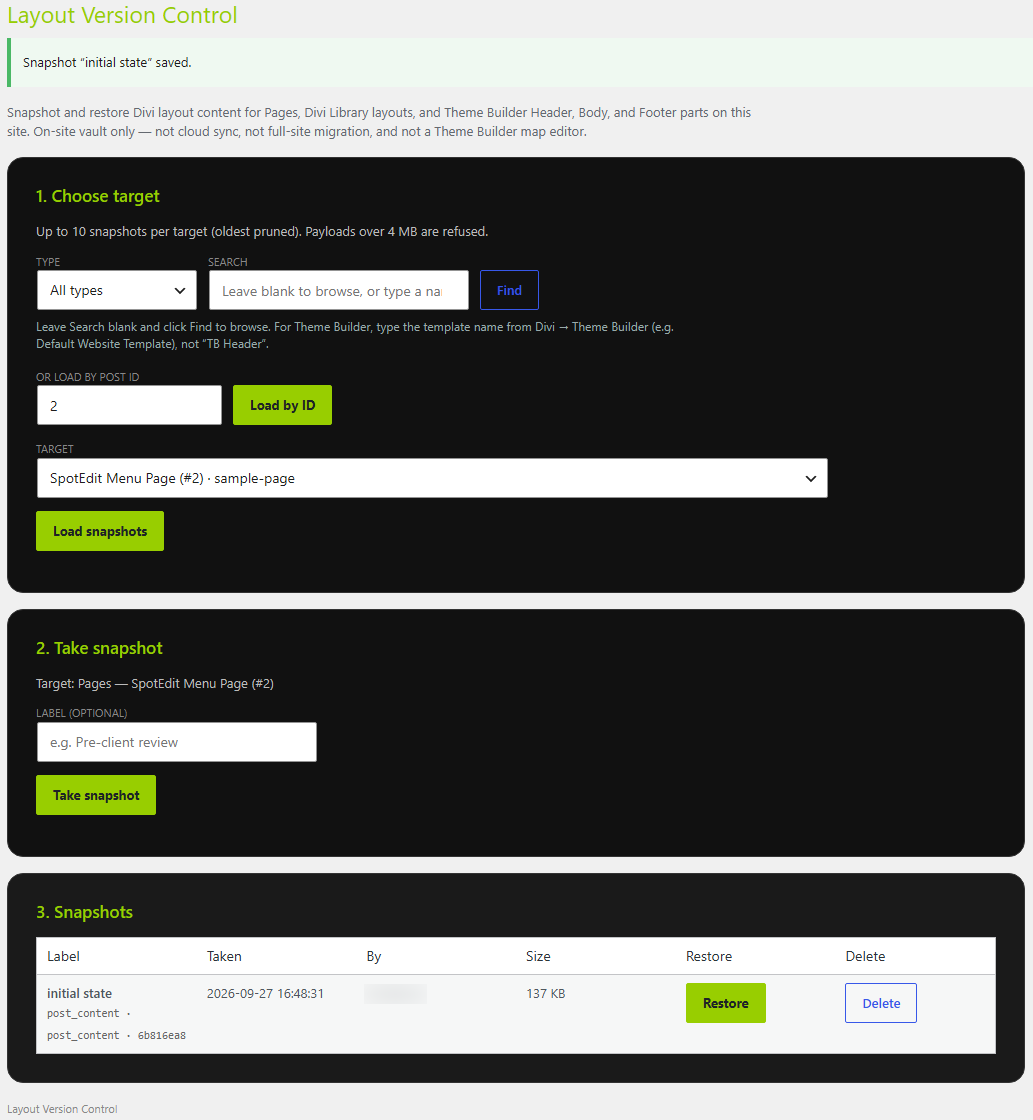
- Add a label if you want one, such as "Before client call" or "Header approved."
- Click Take snapshot.
Tips & things to know
- You can keep up to 10 snapshots. Delete old ones you don't need.
- Each snapshot shows its label, the time, who took it, and its size, so an agency team can see who saved what.
- Good times to take a snapshot: before a client edits, before a big design pass, and before you hand a site over.
- Snapshots stay on your site. Nothing is sent to the cloud.
- Uninstalling PowerTools Suite deletes all snapshots.
What it does not do
- It does not back up your database, media library, or other plugins. Keep your host backups.
- It does not take snapshots on its own.
- It is not a site migration tool.
- It does not change Theme Builder assignments. TemplateTruth reads those.