TemplateTruth: See Which Header, Body, and Footer a Page Uses
Applies to: PowerTools Suite & Agency Admin Deck
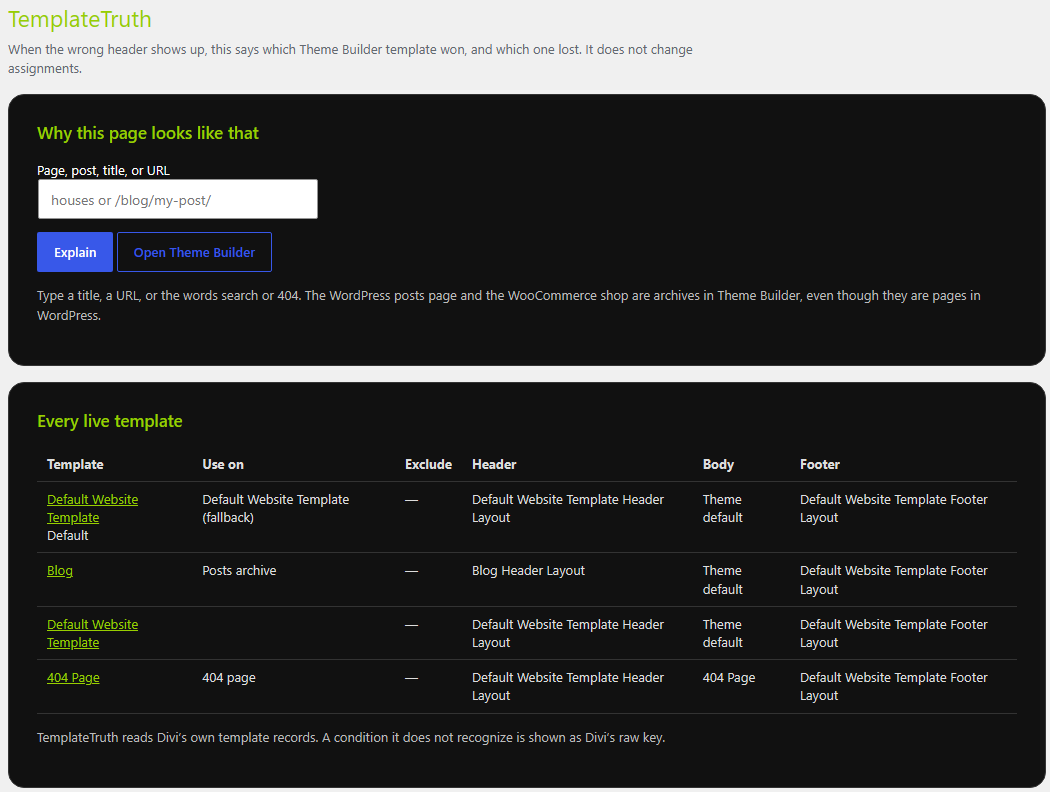
TemplateTruth explains which Theme Builder header, body, and footer Divi uses on any page, and why. It is read-only, so it never changes your assignments.
Before you start
- You need at least one Theme Builder template in Divi → Theme Builder.
- Know the page, post, or content type you want to check.
Step-by-step
Check a page
- Open TemplateTruth. In WordPress admin, go to PowerTools Suite → TemplateTruth.
- Review the template list. It shows each live Theme Builder template and which parts (header, body, footer) it customizes.
- Choose what to explain. Pick a URL or a content type: a page, post, archive, author page, search results, or the 404 page.
- Read the result. TemplateTruth shows which header, body, and footer apply, and explains the reason in plain English.
Fix a wrong header or footer
- Read the reason TemplateTruth gives.
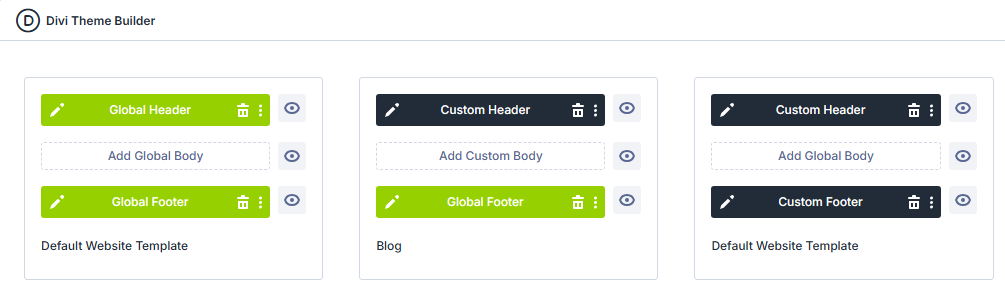
- Go to Divi → Theme Builder and change the template assignments.
- Go back to PowerTools Suite → TemplateTruth and check the page again.
How Divi picks a template
- The more specific assignment wins. For example, a template for one page wins over a template for all pages.
- If the winning template leaves a part (such as the footer) on the theme default, Divi keeps looking at the next template that applies.
- The Posts page and the WooCommerce shop are reported as archives.
Tips & things to know
- If two templates have the same assignment, TemplateTruth flags it.
- When a specific template and a general one overlap, TemplateTruth notes it so you know which one wins.
- Use TemplateTruth any time a page shows the wrong header, body, or footer and you want the answer without guessing.
What it does not do
- It does not edit Theme Builder assignments or layout content. Make changes in Divi → Theme Builder.
- It does not snapshot layouts. Use Layout Version Control for that.
- It does not crawl your whole site.