PowerPort: Undo an Import
Applies to: PowerTools Suite & Conversion Deck
PowerPort adds rows from a CSV file to FormulaBot, DealVault, or RSVPify, and you can undo your most recent import within one hour.
Step-by-step
- Click Undo this import on the success screen.
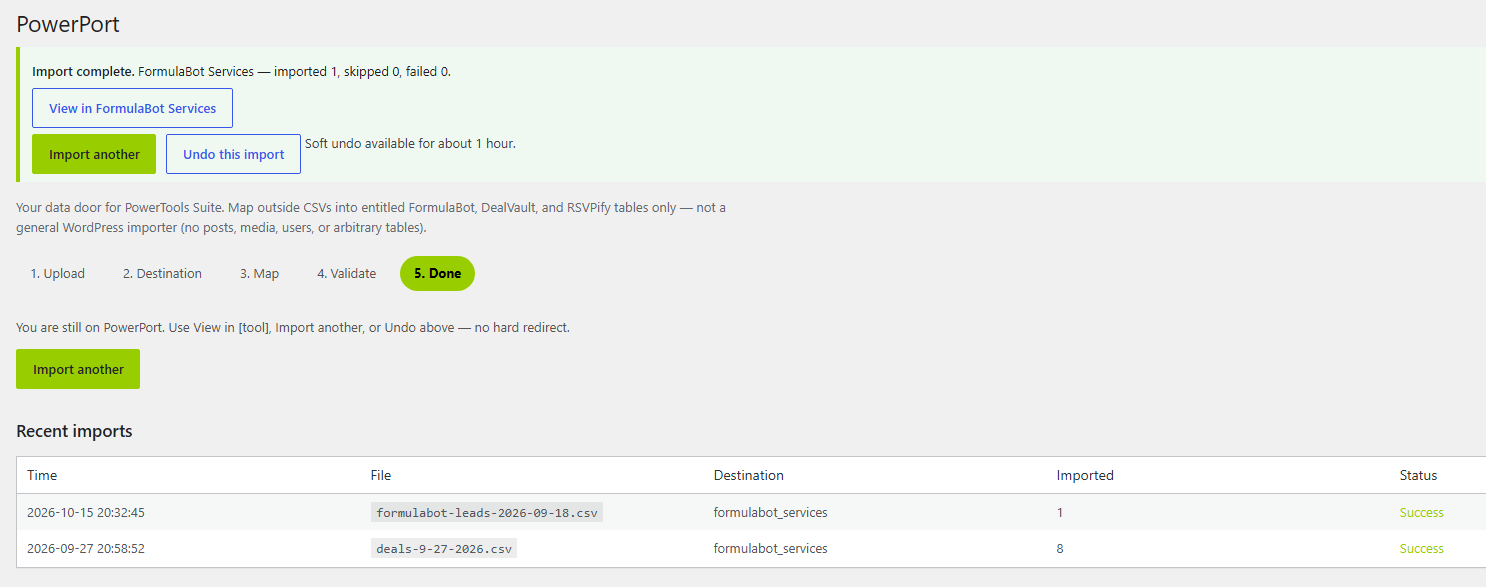
- Check the destination tool. The rows from that import are removed.
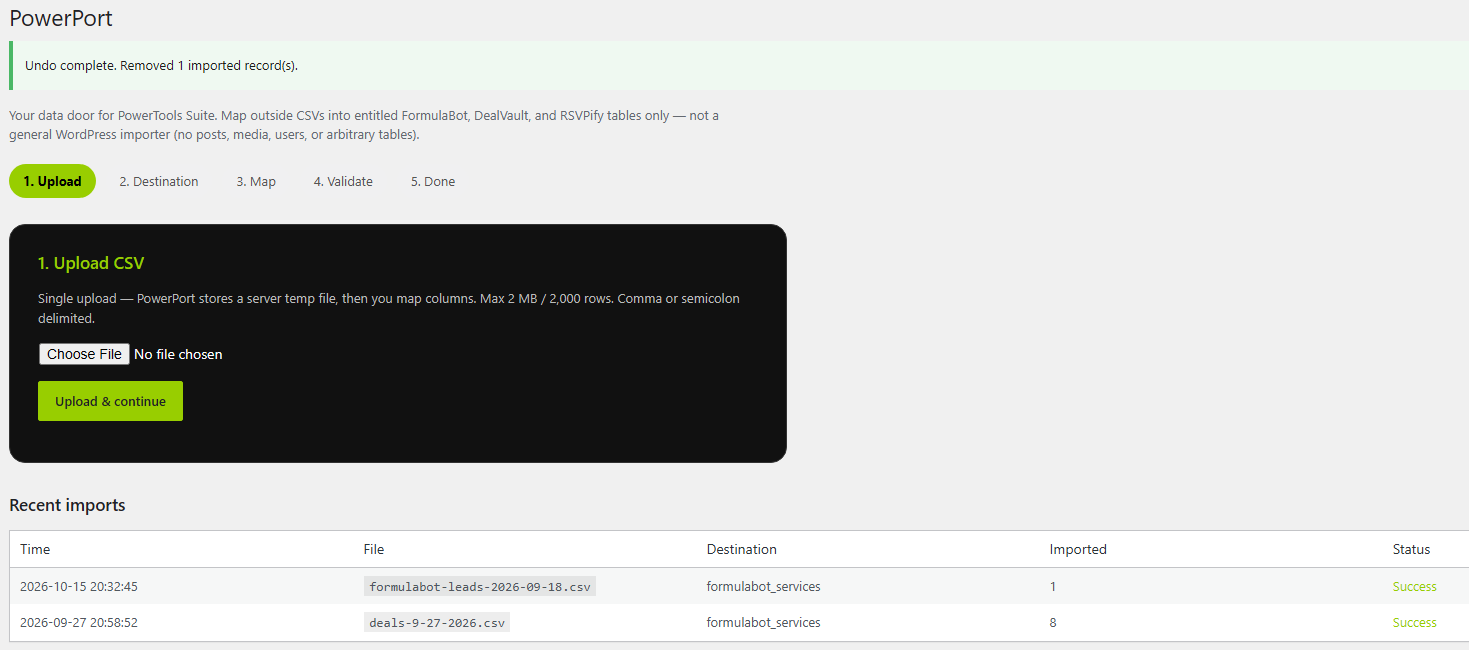
Undo works only for your most recent import, and only within one hour of it. Older imports can't be undone here.