SEO Design Audit: Run and Read Your Audit
Applies to: PowerTools Suite & Agency Admin Deck
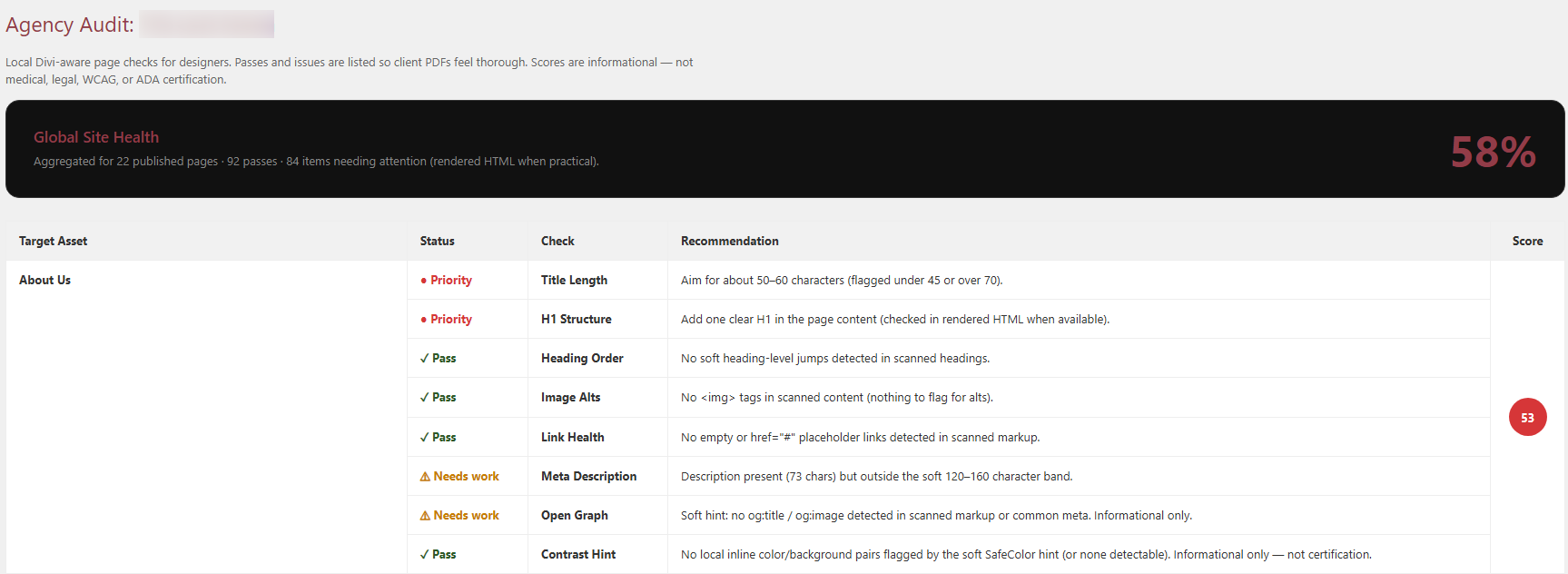
SEO Design Audit checks your published pages for common design and SEO issues and gives each page a score. You can download a client-ready PDF report and a CSV with one row per finding.
Before you start
- Publish the pages you want to check. The audit looks at published pages only.
- The audit is for admins. Visitors never see it.
Step-by-step
- Open SEO Audit. In WordPress admin, go to PowerTools Suite → SEO Audit.
- Review the page list. Each page shows a score and its findings, marked Pass, Needs work, or Priority.
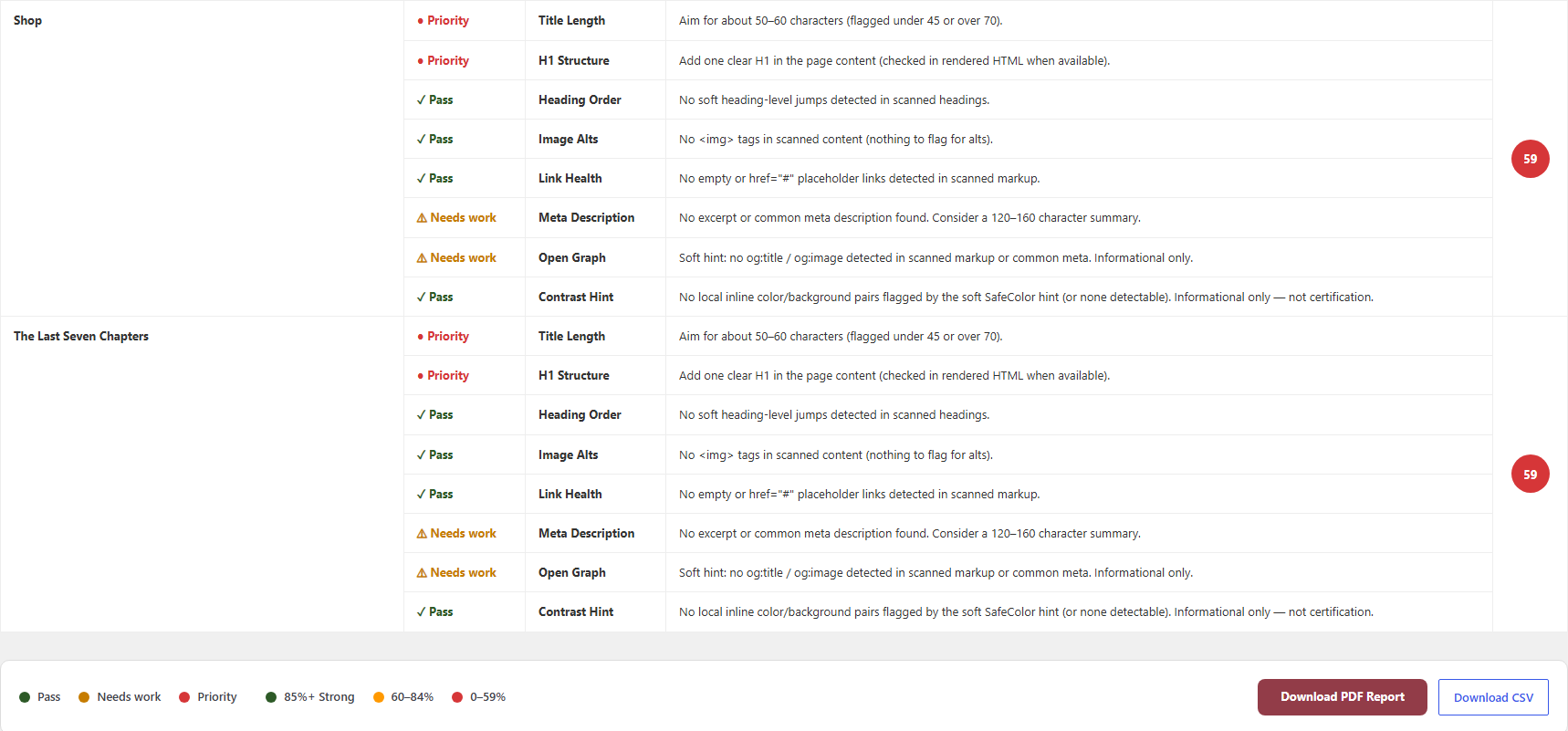
- Check the score band:
- 85% and up: Strong
- 60% to 84%: Review
- 0% to 59%: Priority attention
Each page starts at 100 and loses points for each finding. The lowest score is 0.
What each check means
| Check | What passes | How to fix it in Divi |
|---|---|---|
| Title length | About 45 to 70 characters (we suggest 50 to 60) | Edit the page title or your SEO plugin's title. |
| H1 structure | Exactly one H1 | Set one Heading module to H1 and the others to H2 or lower. |
| Heading order | No big jumps, such as H2 straight to H4 | Change the heading level on the Heading module. |
| Image alts | Every image has alt text | Add alt text in the Media Library or the Image module. The finding lists a count and a few examples. |
| Link health | No empty links, # links, or javascript:void links |
Add a real URL to the button or link, or remove it. |
| Meta description | About 120 to 160 characters | Add a description in your SEO plugin, or a page excerpt. |
| Open Graph | og:title and og:image look complete | Set a social title and image in your SEO plugin. |
| Contrast hint | Information only, no points lost | Shows when an inline text color and background color are very close. Pick a stronger pair. |
Tips & things to know
- Run the audit again after you change titles, headings, or images.
- It's built for designer and client conversations about this site.
- The report colors follow the website's Divi global colors through our SafeColor Engine.
What it does not do
- It is not a full-site crawler, and it doesn't scan Theme Builder templates.
- It doesn't check remote links beyond the markup it scans.
- It is not an accessibility certification (WCAG or ADA).
- It doesn't show anything to visitors.